From WinCNC to LinuxCNC: rewiring the router and automating the tool rack
Upgrading a control system is never plug-and-play. It’s patience, wiring diagrams, and long nights in config files. This one moved the shop’s 4-axis gantry router off WinCNC and onto LinuxCNC, added a fully automatic rack tool changer, and — because the stock interface felt generic — got a custom GUI. Here’s how it went, the bugs that fought back, and the code that finally made it tick.
The machine, and why it needed this
The router started life as a new build from an OEM — bought new, not somebody’s used rebuild. But it had a flaw from early on: on long runs, the gantry would lose its position. For a few years it was livable, something you worked around. Then it got bad enough that the machine was cutting down into the spoilboard, and “livable” was over.
I tried the obvious fix first — a new WinCNC controller. It didn’t work as intended, and the position problem stayed. That’s when Radu talked me into LinuxCNC, and this rebuild began.
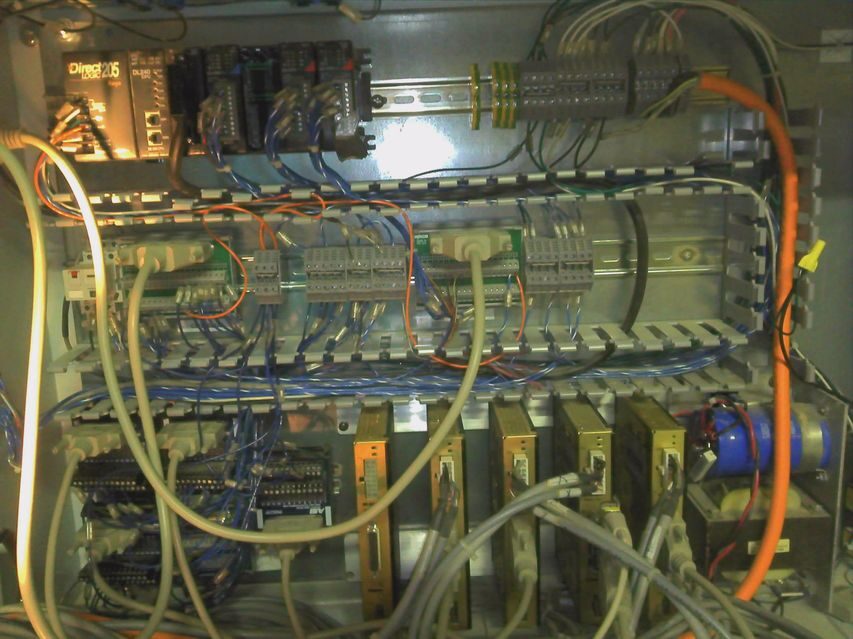
Where it started: the original control — a DirectLOGIC 205 PLC and the Eclipse drives, back when it was still WinCNC.
Help from across the ocean
I didn’t do this alone. Two friends from Romania — Vlad and Radu — carried a lot of it. They walked me through wiring best practices and helped me actually understand the code instead of copying it and hoping. Radu is the one who talked me off WinCNC and onto LinuxCNC in the first place. And when one of the Eclipse drive boards burned out, Vlad repaired it — saved me a board and a lot of downtime. A good chunk of what follows, I owe to those two.
Phase 1: WinCNC triage
Before ripping the brains out, the WinCNC side needed electrical work. I pulled the old configuration and installed a new #607N interface board, then calibrated the analog spindle-speed control and traced out the VFD connections until everything was actually talking.
A good chunk of time went into the WinCNC INI files, pulling spindle-speed monitoring and fault detection straight into the interface. After working through the keypads and PC-tower config — with some back-and-forth with Microsystems World CNC — the foundation was solid enough to swap the controller for good.
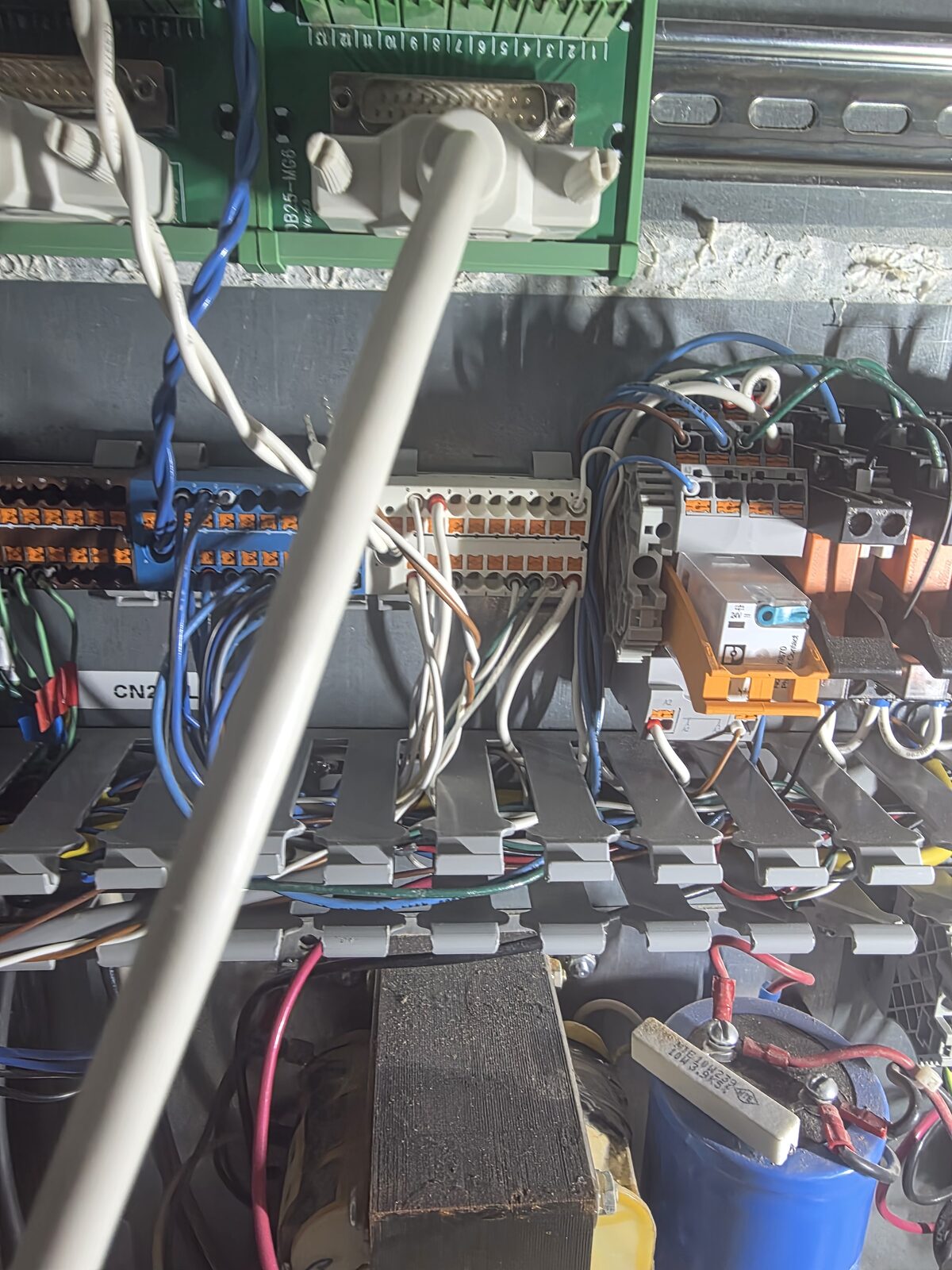
The cabinet mid-retrofit. Field I/O on the left, the analog spindle interface board, and a lot of terminals to trace.
Phase 2: LinuxCNC online
The brains moved to LinuxCNC on a Mesa 5i25/7i76, with XYYZA gantry kinematics — two joints on Y. The existing Eclipse drives stayed; the one addition was a new Clearpath servo for the 4th (A) axis. Getting it to talk to the freshly wired hardware meant dialing in spindle calibration, homing, soft limits, and a Haas/Fanuc-style coordinate system with Z0 at the top and the table in negative Z.
I also converted the Mozaik post-processor from WinCNC to LinuxCNC format so it would output simultaneous 4-axis code cleanly.
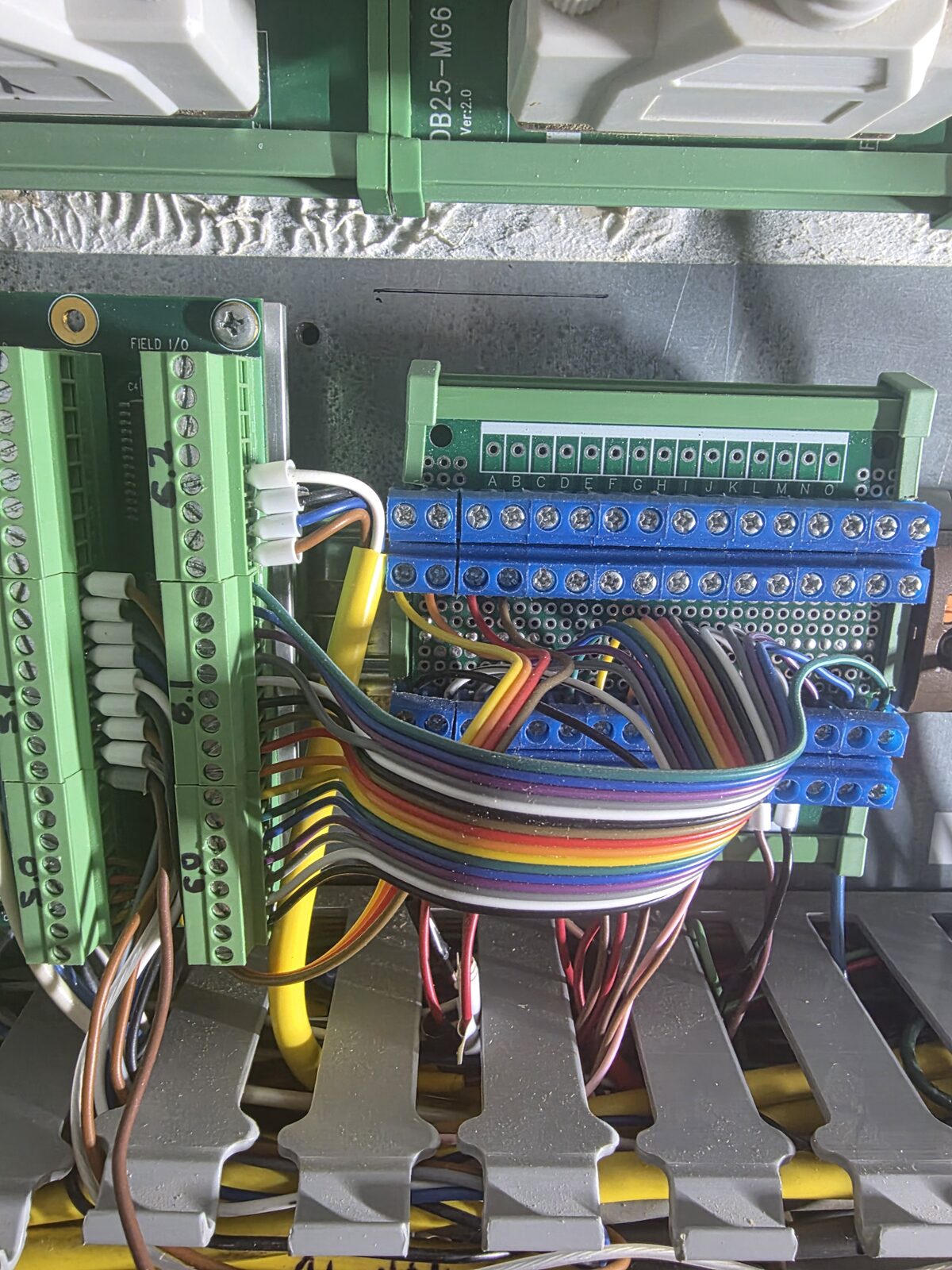
Field I/O wiring — limits, homes, and the spindle signals all land here.
Phase 3: The rack tool changer (the hard part)
The machine has a 10-pocket linear rack along X with a fork-style change: the Y slide moves the spindle into the fork, Z lifts the tool out. Automating it meant remapping M6, and that’s where the real work — and the real bugs — lived. Here’s the dev log.
8a4b2c1 — M6 remap, and the silent skip. My first pass stripped the prolog/epilog off the remap line to simplify it. Bad idea. change_prolog is what looks up the T-number in the tool table and populates #<_current_pocket> and #<_selected_pocket> — they are not built-in parameters. Without it, both stayed 0, both branches of rack_change.ngc got skipped, M6 reported success, and the machine cheerfully did nothing. Restoring the standard remap (prolog=change_prolog ngc=rack_change epilog=change_epilog) brought it back to life.
3f9e7d4 — the HAL read that never happened. My clamp-confirmation loop polled the spindle sensor with #<_hal[motion.digital-in-00]>. Problem: NGC evaluates HAL reads at parse time, not execution time — so the sensor was read once when the file loaded and never again at the moment of clamping. I replaced the whole polling loop with M66 P0 L3 Q<timeout>, which actually blocks the interpreter until the pin goes high or the timeout expires, and drops the result in #5399.
9c1a5b2 — keeping the GUI honest. A successful change wasn’t updating the displayed tool, and a failed load left the old tool showing. Fixed by writing M61 Q#<_selected_tool> at the end of the sub, and M61 Q0 on every fault return, so the GUI always shows what’s actually in the spindle.
d0f8e33 — making it abort-safe. The nastiest one. After several holes of a drilling program, the tool would crash into the rack fork on the way up — but never during a manual change. Root cause wasn’t the tool changer at all: a latency spike dropped the Clearpath HLFB feedback, threw a joint amplifier fault, fired on_abort mid-change, and stranded Z too low for the next traverse into the rack. The fix was two-part — chase the servo-thread jitter down, and make rack_change.ngc abort-safe so a mid-change fault can never leave the spindle at a killing height.
e5b1a90 — G10 L11 tool touchoff. Manual touch-offs meant manual math, and manual math means mistakes. I built tool_touchoff.ngc around G10 L11, which writes the measured offset straight into the tool table from the probe (a PGFUN XYZ probe on input-27). Height measurement is now hands-off and repeatable.
Phase 4: A GUI built for gameday
With tool changes finally running clean, the stock interface felt too plain. I wanted something that matched my aesthetic — a Clemson theme in Regalia Purple and Clemson Orange.
I built it on QtDragon HD. First attempt used a separate custom_handler.py and a standalone clemson.qss stylesheet, which turned out clunky. So I pivoted to injecting the CSS directly through qtdragonrc.py — reskinning the buttons, tweaking global fonts, and styling labels from one place, plus remapping several physical buttons and customizing the pendant popups along the way.
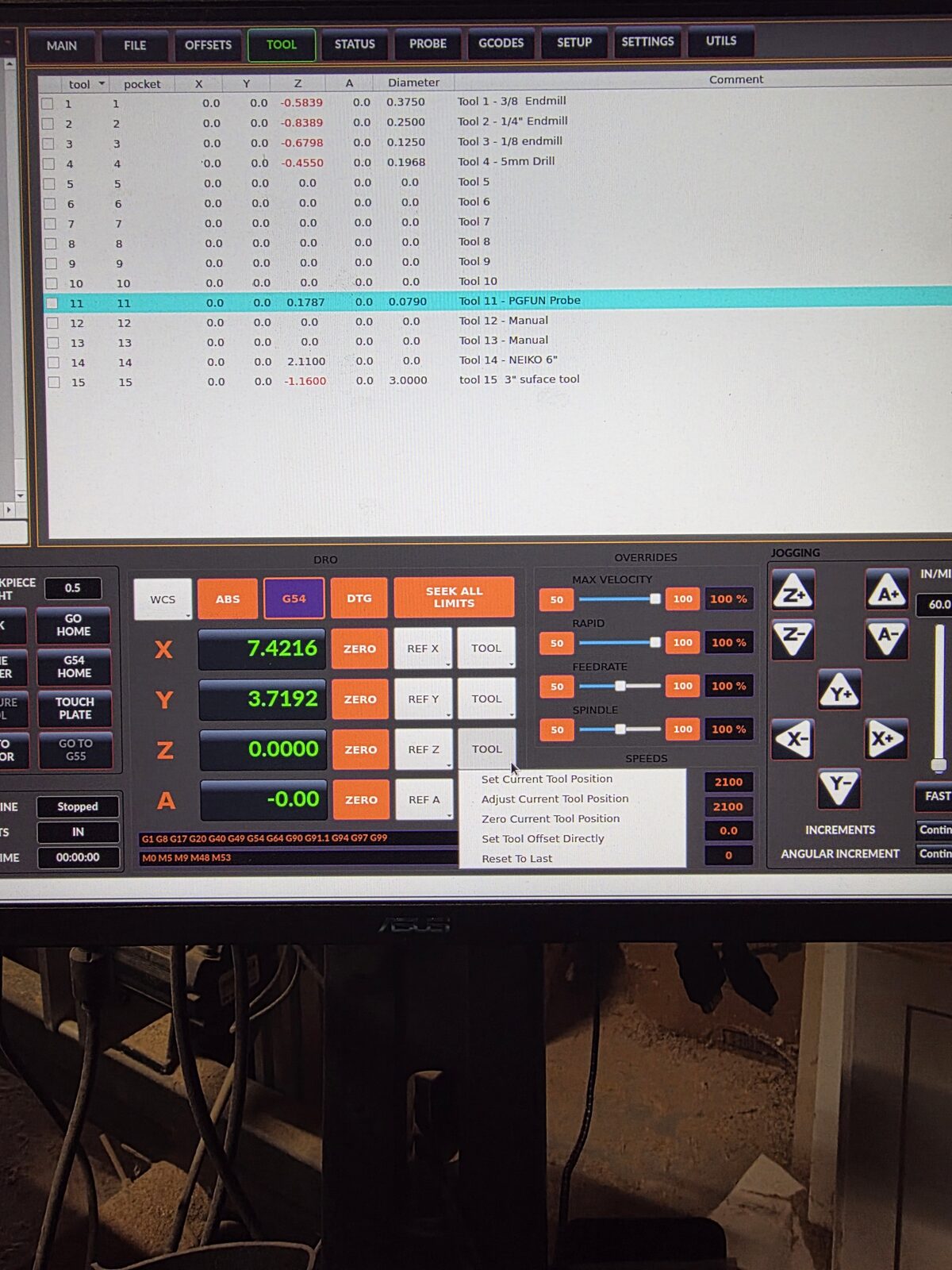
QtDragon HD in Clemson colors. Tool table up top — endmills down to the PGFUN probe in pocket 11 — and the X/Y/Z/A DRO below.
Where it stands
The machine runs simultaneous 4-axis code, changes its own tools without crashing them, and looks like gameday doing it. A couple of loose ends remain — some [VERSA_TOOLSETTER] INI placeholders to sort out, and stale G49/G43 lines to clean out of rack_change.ngc — but those are future posts.
That’s how this rebuild began. If you’re into this kind of thing — controllers, wiring, and the occasional 2 a.m. crash into a spoilboard — join me for the rest of it. There’s plenty left to do.