Two websites, two shops, and a VCarve toolbox: what's been on the bench
The last few weeks have been a sprint on two fronts at once. On one side: websites — one for a precision machine shop, one for my wife’s business. On the other: teaching VCarve Pro to do the boring part of cabinetmaking for me. Different worlds, same idea. Take something people do by hand over and over, and build the tool that does it right every time.
Here’s where it all stands.
TrueTech CNC: the shop finally has a front door
truetechcnc.com is live.

The front door. Dark, loud, and straight to the point — like the shop.
TrueTech is a precision CNC machining shop in Anderson, SC, and the equipment list deserves to be shown off:
- 2025 Haas VF-4SS with 4th axis
- 2023 Smart SV2 with 4th axis
- 2013 Haas Mini Mill
- 2019 Okuma LB3000 EXII with live-tool milling and a sub-spindle
- 2021 Hyundai WIA SE2200A
That’s real 4-axis milling and live-tool turning under one roof, and now the site says so.
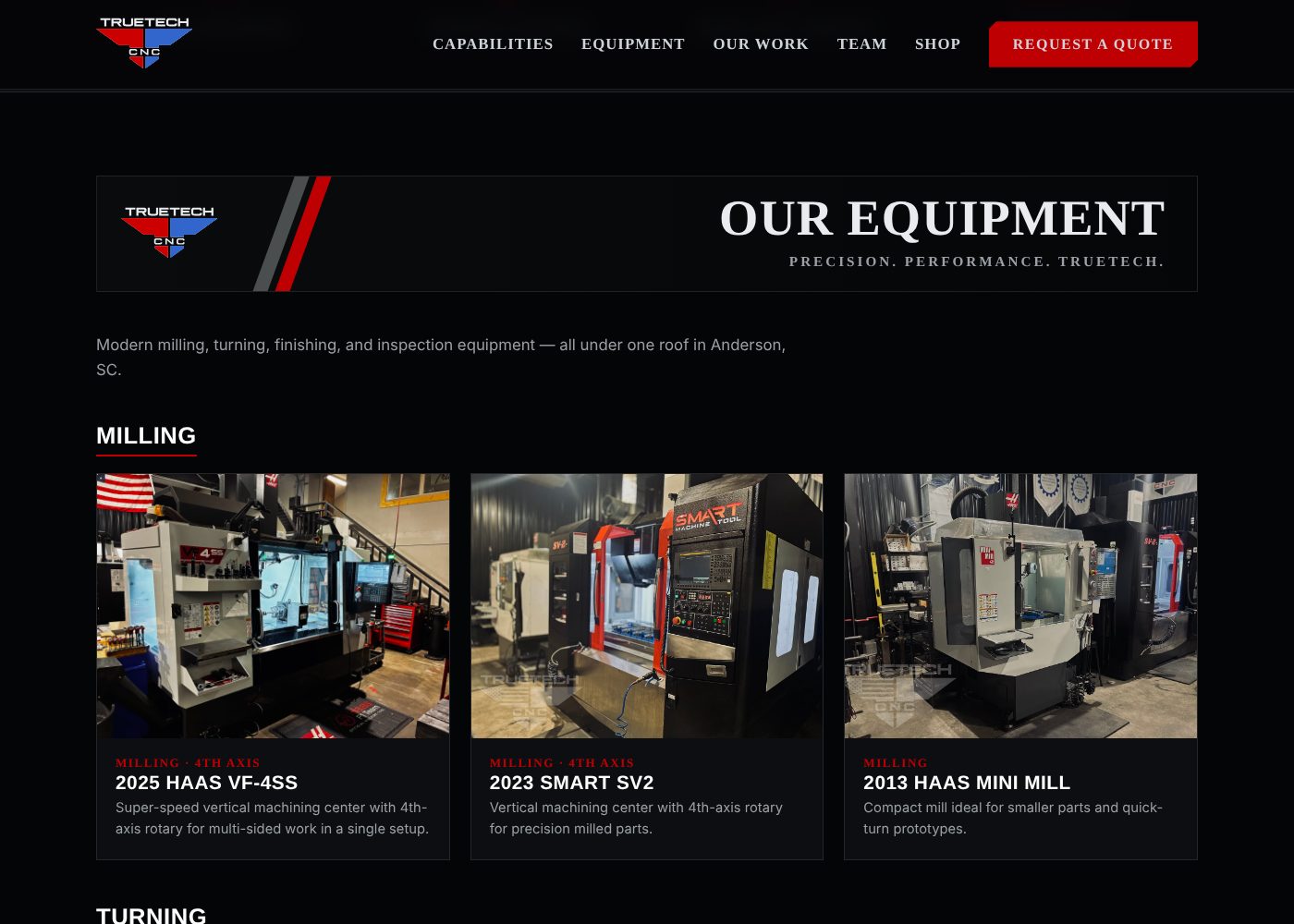
Every machine gets a card with a real shop photo — no stock images.
The build is a static HTML site on GitHub Pages — fast, free to host, nothing to patch, nothing to get hacked. The domain stays on Squarespace DNS and points at Pages.
The part I’m happiest with is the admin editor. Nobody at a machine shop wants to hand-edit HTML to swap a team photo or add a new machine. So the site has an admin.html page that edits the content directly — machines, the team (with photos), shop products — and the pages render from that. Change the content, publish, done. No touching markup.
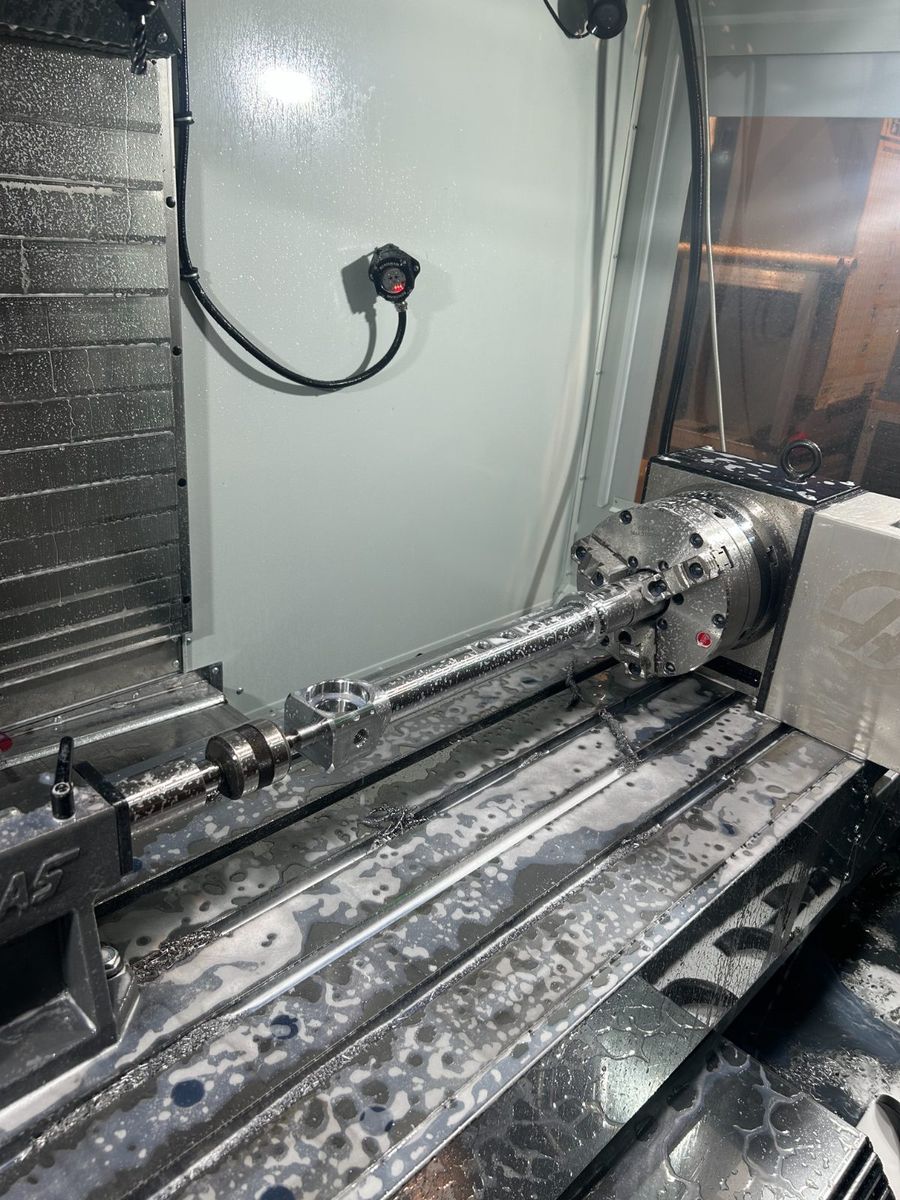
From the “Our Work” gallery: a long shaft riding the 4th axis on the VF-4SS. The parts gallery is driven by the same admin editor.
The Cows Nest: a storefront with a cow and a wren
The second site is for my wife’s business, The Cows Nest — thecowsnest.com.
This one started with her design. She handed me a logo, a full-page mockup, and two mascots — Daisy & Pip, a cow and a wren — and my job was to make it real without losing any of the charm. Logo up top, her artwork everywhere, and a little “made by dawnintegrations.com” in the footer.
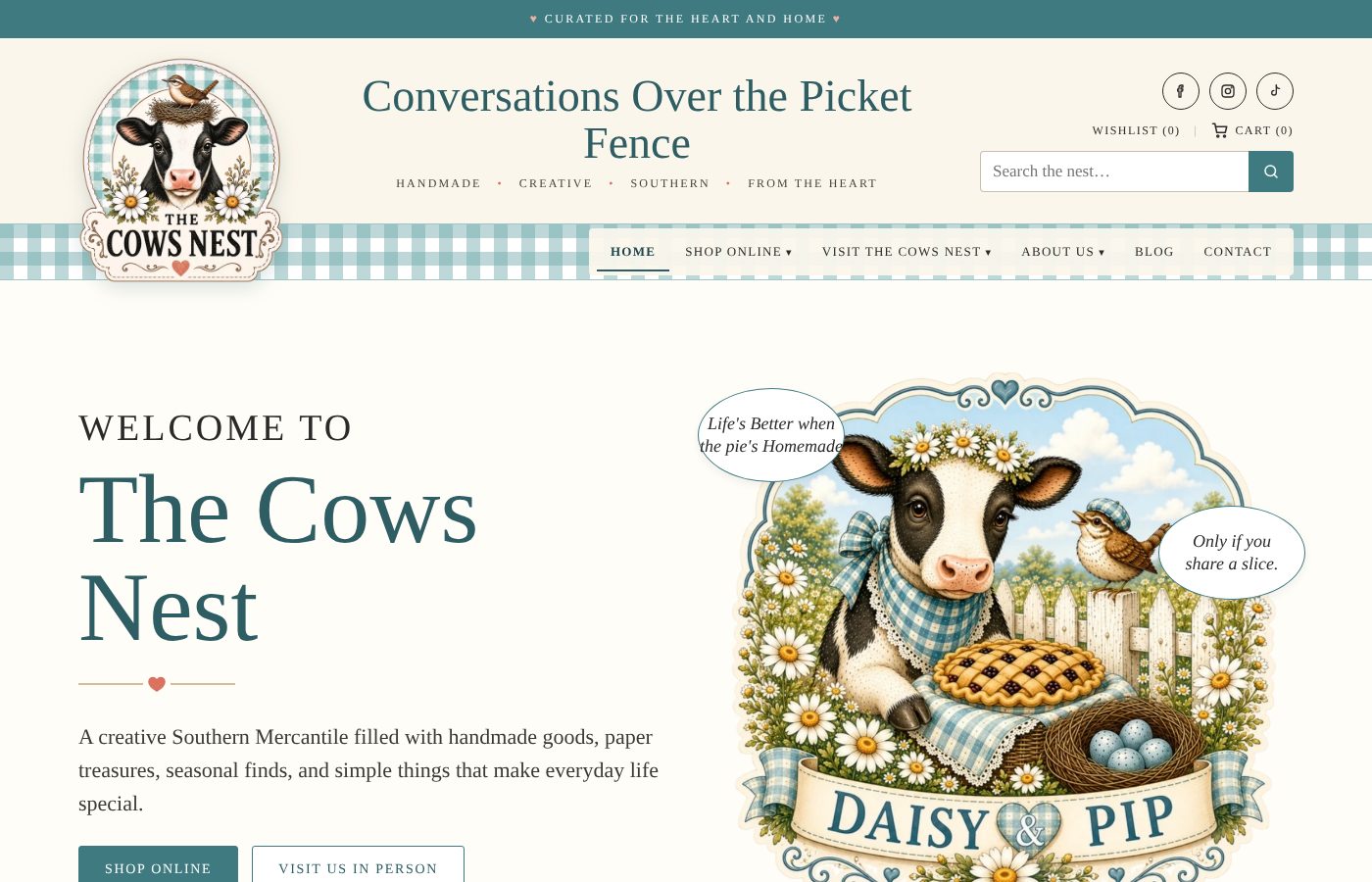
Conversations Over the Picket Fence. Gingham, daisies, and a cow who bakes.

Meet Daisy & Pip. She drew them; I just had to make the website live up to them.
Same backbone as TrueTech — GitHub Pages, DNS on Cloudflare — but this one has a shop, and that’s where it got interesting.
The editor. Every section’s pictures and words, and every page, live in a single data.js content file, edited through an admin page. I went back and forth on who should drive it and landed on the safe answer: the editor lives on my PC and is not reachable from the public web. A static site with no login page is a static site nobody can log into.
The store. I started down the Stripe road, then switched to Square. Products live in her Square account, and the website pulls them in and displays them. She manages inventory where she already works; the site just shows it off.
Shipping got simplified to three buckets — envelope, small box, large box — picked per item in Square, with the prices adjustable in the admin. She ships through Pirate Ship, so the categories map straight onto how she actually packs orders.
Digital downloads are coming through Square checkout plus the site’s own delivery out of Cloudflare R2, instead of bouncing customers off to Etsy.
Next up: apparel. She’s already got a heat press and blank shirts. The plan is Ninja Transfers — custom shirts drop-shipped, plus some made in-house for the physical store.
VCarve Pro, meet automation
Now the fun part.
Cabinetry is my side work — my own tools, my own shop. And anyone who’s done cabinet doors on a CNC knows the drill: draw a door, toolpath it, copy it, resize it, re-toolpath it, nest it, repeat until your eyes cross. It’s slow, and every manual step is a chance to cut a door 1/8” short.
VCarve Pro has a gadget system — scripts that run inside the program and drive it. So I’m building two.
Door Nest
Door Nest takes a door you’ve already designed as a VCarve template and a door list — uploaded from Excel or entered in an HTML form — and does the rest:
- Builds every door in the list from the template
- Nests them onto sheets
- Applies the toolpaths through toolpath templates
Tooling is Amana, pulled from the Amana Vectric tool database, so the feeds, speeds, and bits are the real ones I cut with. It runs on VCarve Pro V12.5.
The goal: hand it a list, get back sheets of doors ready to cut. And when it’s solid, I want to share it with other VCarve Pro users — because I know I’m not the only one who’s tired of building doors one at a time.
Cabinet Nest
Doors are half the job. The boxes are the other half. Cabinet Nest is Door Nest’s bigger sibling — built, and headed into real cuts.
It’s built like a conversation. A wizard walks you through the decisions a cabinetmaker actually makes:
- Face frame or euro?
- Dado or other joint construction?
- Adjustable shelves?
- Base or upper?
- How’s the back built? What’s the toe kick?
It covers the cabinet types a kitchen actually needs — sink base, over-sink, uppers, lowers, fridge cabinets — and takes a job list from Excel with height, width, depth, and quantity. Out come the parts, toolpathed through the same toolpath-template approach as Door Nest. Doors stay in Door Nest, where they belong.
Under the hood it computes every part — sides, bottoms, stretchers, backs, shelves, toe kick, and the face-frame cut list — with the dados, grooves, and shelf-pin holes drawn in, left and right sides mirrored, and box parts and thin backs nested on their own sheets. Shelves can be a different thickness than the box and get an optional solid-wood nosing that lands on the cut list for the table saw.
Put the two together and a whole kitchen goes from a spreadsheet to cut-ready sheets.
The thread that ties it together
Machine shop website. Craft shop storefront. Cabinet automation. On paper they don’t have much in common. In practice it’s the same move every time: find the repetitive, error-prone thing, and build the tool so it’s done right — once — and then just run it.
Coming next 🔧
Two big updates are on the bench and in testing right now:
- VCarve gadget updates. A round of changes to Door Nest and Cabinet Nest, and drawer boxes are next in line.
- Cut lists straight out of Blender. I’m designing cabinets in Home Builder 5 for Blender, and I’ve built a companion add-on that reads every part Home Builder draws and turns it into a real shop cut list — and hands the parts off to VCarve to nest and cut.
I’m not posting either one until it’s made sawdust. Once they’ve been through real testing in the shop, the full write-up goes up here — screenshots, cut sheets, and whatever broke along the way.